
- On sale!
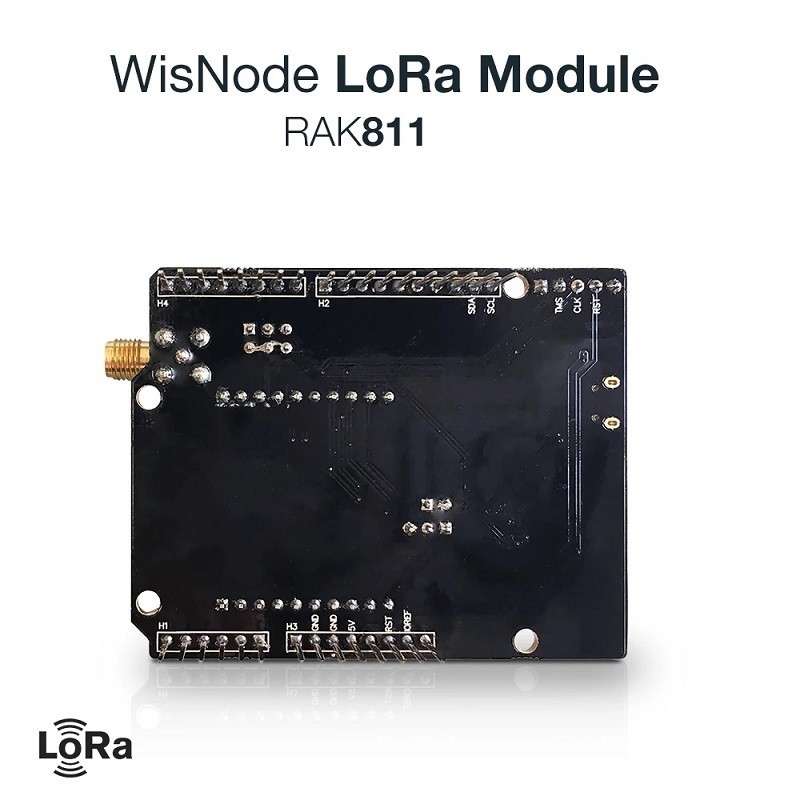
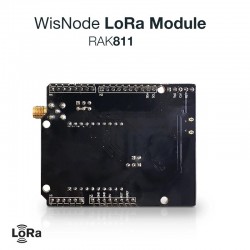
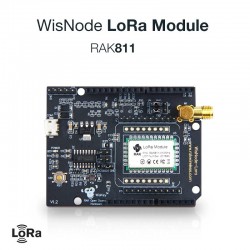
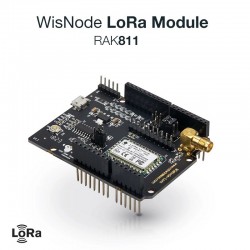
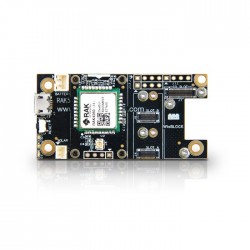
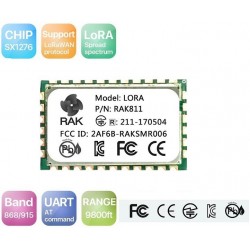
RAK811 WisNode LoRa Module development board is compatible with Arduino Development Board. It can also be used as an extension board development with Arduino.
 Security policy
Your payment information is processed securely. We never store credit card details.
 Delivery policy
Orders are dispatched within 1-2 business days with tracking where available.
 Return policy
30-day return policy for unused items in original packaging. Contact us first.
WisNode-LoRa RAK811 /RAK812 LoRa Arduino shield Support AS923, 868/915MHz, LoRa/TTN, Open source LoRa development board.
The following image is RAK WisNode-Lora development board,and it compatible Arduino development board, It also can be used as an extension board development with Arduino. The interface resource are as follow:
| Function | Name | Description |
|---|---|---|
| Module | U3 | RAK811 Lora module |
| External Interface | Micro USB | Power Supply; DC 5V Input,USB to TTL communication interface |
| Key | Reset | Module Reset Key |
| Leading Foot | P1 | Boot Switch Pin,When Boot Pin Switch to 3.3V Module will into the Boot Mode |
| P4 | Debug Pin | |
| P5 | Uart Switch Pin | |
| Power Test | J1 | Module Power Test Pin |
| LED Indicator | LED1(Power) | Power Indicator Light |
Connect the evaluation board to the computer via the Micro USB line, Through the computer serial port tool to send commands to the module.As shown in the following figure:

at+mode=0                    /* SET LoraWAN work mode */
OK

at+get_config=dev_eui         /* GET Dev_EUI check */
OK3037343644357402

at+set_config=app_eui:39d7119f920f7952&app_key:a6b08140dae1d795ebfa5a6dee1f4dbd
/* SET LoraGateway app_eui and app_key , big endian*/
OK

at+join=otaa       /* Join OTAA type*/
OK
at+recv=3,0,0     /* Join status success*/

Welcome to RAK811

at+mode=0                    /* SET LoraWAN work mode */
OK

at+set_config=dev_addr:00112233&nwks_key:3432567afde4525e7890cfea234a5821&
                                   apps_key:a48adfc393a0de458319236537a11d90
/* SET LoraGateway dev_addr nwks_key and apps_key , big endian*/
OK

at+join=abp       /* Join ABP type*/
OK
/*After join gateway success, then can send and receive data*/

at+send=0,2,000000000000007F0000000000000000
/*APP port:2, battery level 50%, unconfirmed message*/
at+recv=2,0,0  /*unconfirmed mean tx success*/

at+send=1,2,000000000000007F0000000000000000
/*APP port :2, battery level 50%, confirmed message*/
at+recv=1,0,0  /*confirmed mean receive ack from gateway*/

/*If gateway has data to send module, will receive date meanwhile ack */
at+recv=0,2,10,30313233343536373839
/*APP port :2, receive size 10, hex:30313233343536373839*/
/* Module A Rx Side*/
Welcome to RAK811

at+mode=1                    /* SET LoraP2P work mode */
OK

at+rf_config=867700000,10,0,1,8,14
/* SET LoraP2P Frequency:867.7MHz, SF10,Bandwith 125KHz, coding Rate:4/5, Preamlen:8, tx power:14dbm */
OK

at+rxc=1                    /* SET LoraP2P Rx continue enable report rx data */
OK

at+rx_stop                 /* If want stop Rx continue */

/* Module B Tx Side*/
Welcome to RAK811

at+mode=1                    /* SET LoraP2P work mode */
OK

at+rf_config=867700000,10,0,1,8,14
/* SET LoraP2P Frequency:867.7MHz, SF10,Bandwith 125KHz, coding Rate:4/5, Preamlen:8, tx power:14dbm */
OK

at+txc=100,1000,800100000600010002da9557e142d9
/* SET LoraP2P Tx continue ,100 packets, 1S interval, hex data */
OK

at+recv=9,0,0    /*When Tx complete */
at+tx_stop                 /* If want stop Tx continue */

To upgrade the Lora module, First we should make the module get into Boot mode. We should switch the P1 pin make the Boot pin connection with 3.3V Pin. Then reset the module, Operate according to the steps:
1.Open the Flash Loader Demonstrator tool,Set the serial port parameters;

2.Click the “NEXT” button, arrive the following interface;

3.The again the “Next” button,Choose STM32L1_Cat2-128K;

4.Choose “Download to device”,Set the path to the new firmware, and click “NEXT” button;

5.Upgrading;

6.Upgrade Successful.

Your review appreciation cannot be sent
Report comment
Report sent
Your report cannot be sent
Write your review
Review sent
Your review cannot be sent
Reference: DWM20060101
Brand: Semtech
Reference: DWM18011701
Reference: ODL22022502
Reference: ODL24011501
Reference: ODL25011703
Reference: DWM20060101
Brand: Semtech
Reference: ODL22100701
Reference: DWM21010103
RAK811 WisNode LoRa Module development board is compatible with Arduino Development Board. It can also be used as an extension board development with Arduino.
check_circle
check_circle