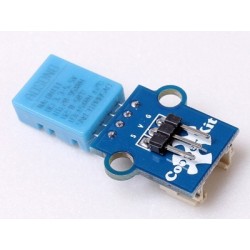

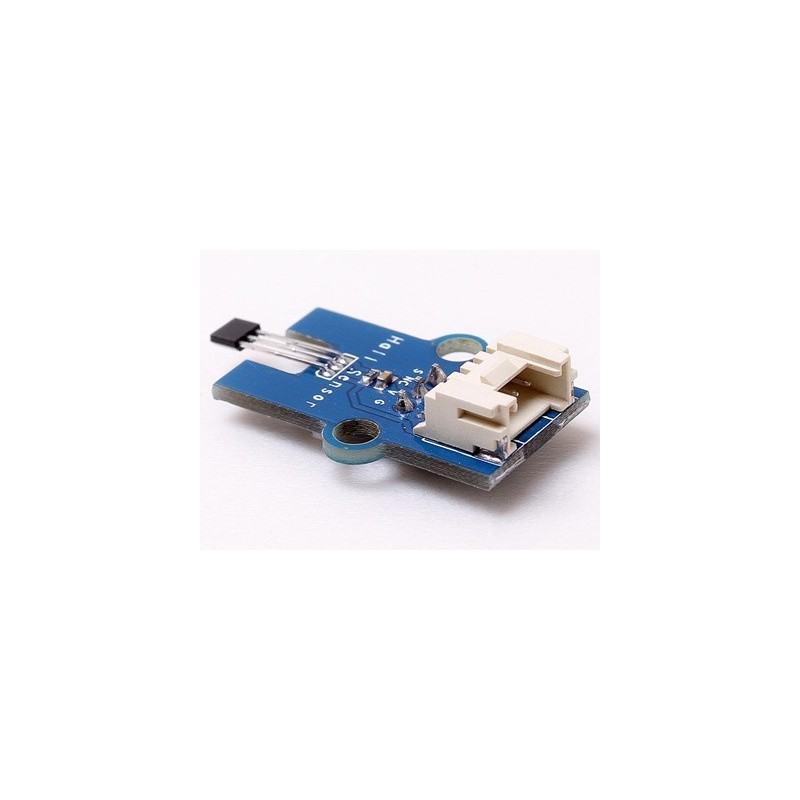
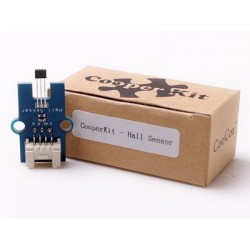
CooperKit Hall Sensor measures the Hall Effect with A3144, the output of the Hall sensor turns on when a magnetic field (south polarity) perpendicular to the Hall sensor exceeds the BOP threshold, and it switches low and turn off when the magnetic field disappears.
 Security policy
Your payment information is processed securely. We never store credit card details.
 Delivery policy
Orders are dispatched within 1-2 business days with tracking where available.
 Return policy
30-day return policy for unused items in original packaging. Contact us first.
|
PCB size |
36.0mm X 17.0mm X 1.6mm |
|
Working voltage |
3.3 or 5V DC |
|
Operating voltage |
3.3 or 5V DC |
|
Compatible interfaces |
2.54 3-pin interface and 4-pin Grove interface(1) |
Note 1: S for digital output port, V and G for voltage at the common collector and ground respectively. Generally speaking, digital output is VCC; when the button is pressed down, the digital output is 0V.
#include "CooperKit_Hall.h"
#include "CooperKit_RGBLed.h"
/*
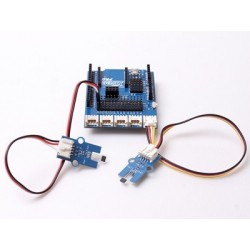
 * Connect the S port of CooperKit Hall switch to D0 Pin of Connect shield,
 * and we will use the following program to read the digital value. When the
 * digital value is high level, RGBLED R lamp(which is connected to D1) will
 * be ON; when the digital value is low level, LED lamp will be OFF.
 */
void Hall_Led_Init(void);

void Hall_Led(void)
{

        unsignedchar ucHallRead;
        Hall_Led_Init();

        while(1)
        {
                ucHallRead = CooperKit_Hall_Read();

                if(1== ucHallRead )
                {
                        CooperKit_RedLed_On();
                        //Delay(10);
                }
                else
                {
                        CooperKit_RedLed_Off();
                        //Delay(10);
                }

        }

}

void Hall_Led_Init(void)
{
        //
        // Before call this funciton, Configure the pin as PA1 (D0) which connect to CooperKit Hall
        // signal first.
        //
        CooperKit_Hall_Init();

        //
        // Before call this funciton, Configure CooperKit_LED_RGB as 1 to Open Red LED only mode
        // and configure the pin as PA0 (D1)which connect to the RGBLed R signal.
        //
        CooperKit_RGBLed_Init();
}
This demo is based on CoX M051 library, if you want to port to other CoX library, Just do the simple step below.
The Tilt driver is commucate with GPIO pin, so in the CooperKit_Hall.h file, the port configuration group provides the gpio pin connection Macro to user for port. For example your Hall signal pin is connect to GPIOA PIN2, you should modify the Macro as:
//*****************************************************************************
//
//! \addtogroup CooperKit_Hall_Config
//! CooperKit Hall configurator
//! @{
//
//*****************************************************************************

//
//! Configure the pin connection of CooperKit Hall
//
#define CooperKit_Hall_PIN         PA2

//*****************************************************************************
//
//! @}
//
//*****************************************************************************
Your review appreciation cannot be sent
Report comment
Report sent
Your report cannot be sent
Write your review
Review sent
Your review cannot be sent
Reference: DWM14121904
Reference: DWM14121903
Reference: DWM15110404
Reference: DWM14121902
Reference: DWM140902
Reference: ODL24082901
Reference: ODL25031701
Reference: DWM17032101
CooperKit Hall Sensor measures the Hall Effect with A3144, the output of the Hall sensor turns on when a magnetic field (south polarity) perpendicular to the Hall sensor exceeds the BOP threshold, and it switches low and turn off when the magnetic field disappears.
check_circle
check_circle